Your change program,
at a glance
Build a dashboard that matches how your team works. Track today's schedule, approvals, and trends across time — without digging through lists.
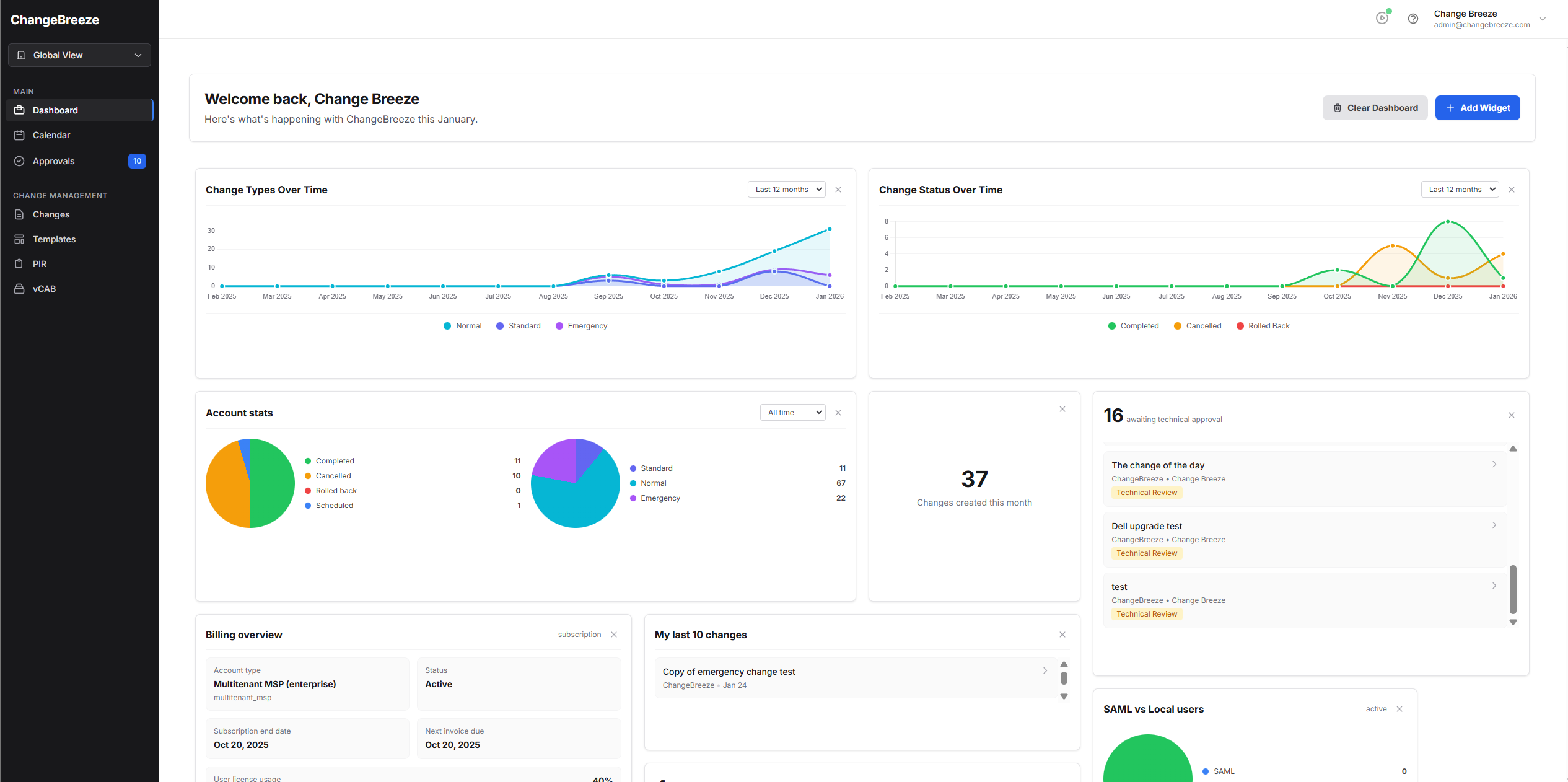
A dashboard that adapts to your operations
Mix "My" widgets for personal workload with "Company" widgets for operational oversight, all scoped to your active company selection.
Instant visibility
See what's scheduled today, what's awaiting approvals, and how change outcomes trend over time.
Role-aware widgets
Widgets appear based on your permissions within the currently selected company scope, keeping sensitive admin insights restricted.
Daily operations focus
Keep an eye on what matters today — scheduled changes, in-flight work, and approvals that are blocking delivery.
Fully customizable layout
Drag, drop, and resize widgets so your dashboard matches your role and responsibilities.
MSP-ready: global and tenant views
MSP accounts can switch between a single tenant or a global view to see rollups across all accessible sub-companies.
Use "My" + "Company" together
Combine personal workload widgets (what you created) with company oversight widgets (what's happening) to keep the right context without noise.
For more details see our Dashboard documentation
Get Started with Dashboard